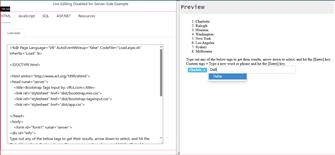
In this article, on the keywords or tags for your website, we will look at the ASP.NET VB Version with a SQL Server Database Table.
Adding tags to your page is easy with this ASP.NET VB Script.
(
Original Source projects for this demonstration«)
Original Classic ASP Script«
Please follow the instructions on using the code and where to place it.
Make sure you save the files with their name on their designated tab.
Steps in this article.
- Create Database
- Create Table
- Add in our records
Create our ASP.NET VB Pages
- web.config
- database.config (This is our connection string page)
- Tags.ashx (ASP.NET VB Version and SQL Code used to generate the records from the database to fill the JSON file.)
- Load.aspx (Build our page for our Tags panel)
- Load.aspx.vb (Page_load - Load available records to display on our page.)
- app.js (Build our JavaScript)
- Updated: Wednesday, February 4, 2026 11:04 PM EST - Added links to the Resources Tab for all downloadable files.
(Follow the information in the link below for SQL Server to create your test user and database for all lessons)
How to use SQL Server Database Connection string«